> For the complete documentation index, see [llms.txt](https://docs.jentis.com/llms.txt). Markdown versions of documentation pages are available by appending `.md` to page URLs; this page is available as [Markdown](https://docs.jentis.com/jentis-dcp-elements/variables/client-side-variables-frontend.md).
# Client-Side Variables (Frontend)f
In JENTIS Tag Manager, values or properties that are accessed or received on the client side — that is, within the website or browser environment — are referred to as **Client-Side Variables**. In this context, the client side is the web application as it runs in a user's browser. JENTIS lets you access these properties through client-side variables. Each variable has one evaluated, static value per [state](/jentis-dcp-elements/states.md). You can learn more about this concept in the following section.
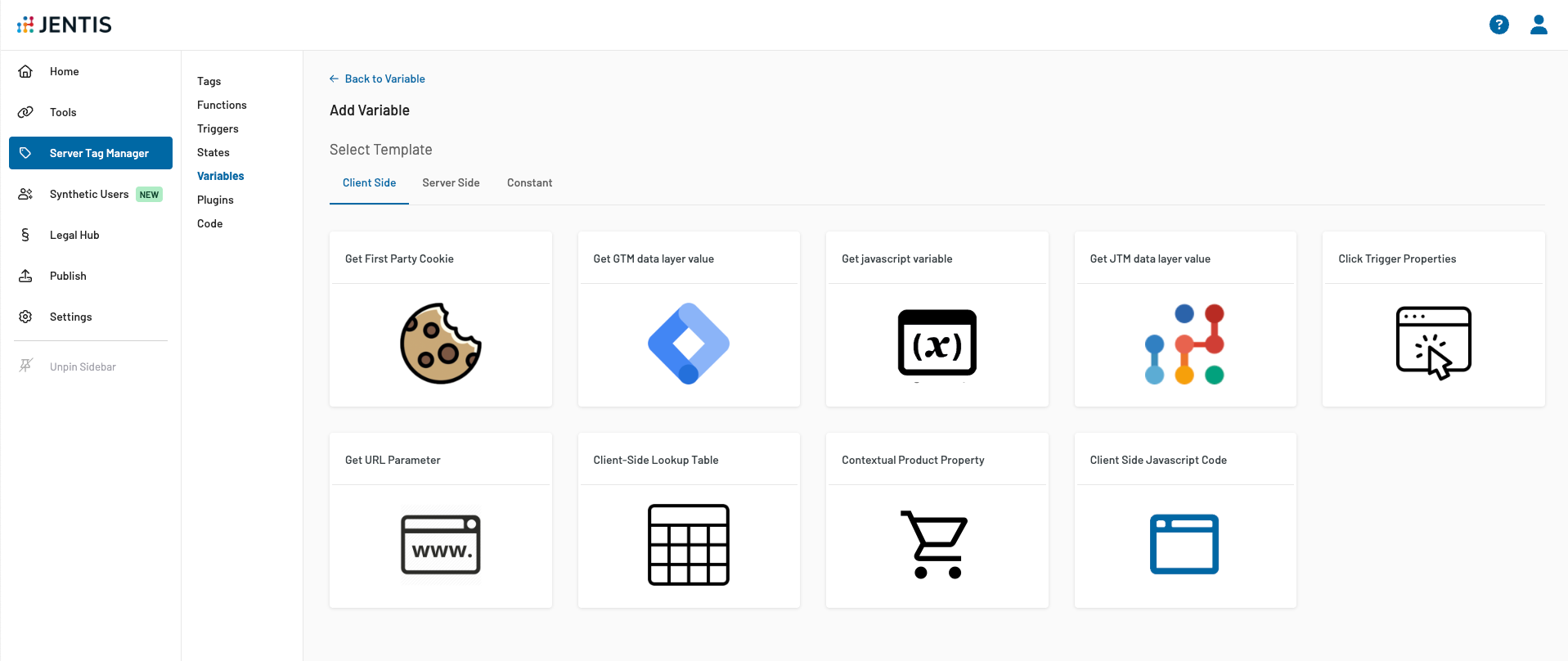
The first step in working with frontend variables is to choose and create the variable type.
JENTIS offers several options for selecting the parameter type. You can use a structured form, where you only define the parameter name to read the value from. Or you can write your own JavaScript function to return a specific value.
| Template | Use Case | Description |
| --------------------------- | ---------------------------------------------------------------------------------------------------------------------------------------------------------------------------------------------------------------------------------------------------------------------------------------------------------------------------------------------------------------------------------- | ----------------------------------------------------------------------------------------------------------------------------------------------------------------------------------------------------------------------------------------------------------------------------------------------------------------------------------------------------------------- |
| Get First Party Cookie | Will read a value from a defined cookie name. | Source is the `document.cookie` browser API. |
| Get GTM data layer value |
Read a value from the data layer used in many Google Tag Manager implementations. Detailed Article: GTM Data Layer Variable Use Case.
| The default source is the global `window.dataLayer` object, and the value is read from that array. |
| Get JTM data layer value |
| This uses the JENTIS Data Layer API. Following the general JENTIS Data Layer schema, a property is always read from a specific object, such as `pageview`, `product`, or `order` |
| Get JavaScript variable | Read a websites JS global scope value. | Either a property from `window` or `document` can be read. |
| Click Trigger Properties | Used only with SELECTORACTION Trigger Type - a click (or any other action) property. | Use this only in combination with an according trigger to return an interacted items value (ie. inner text of clicked element). |
| Get URL Parameter | URL query parameter information. | Returns a URLs query parameter value, ie. `gclid` will return the value of the current websites URL gclid=\. |
| Client-Side Lookup Table | Mapping table of an input variable to case-switch specific values based on condition logics. | Use a dynamic input to return based on conditions of the input value certain static values. |
| Client-Side Javascript Code | Write your own JS function to compute and return a value. |
|
More types may be added in the future, so this list may change.
As each type has its own configuration, the next sections explain how to set up the most common ones during the creation process.
---
# Agent Instructions
This documentation is published with GitBook. GitBook is the documentation platform designed so that both humans and AI agents can read, navigate, and reason over technical content effectively. Learn more at gitbook.com.
## Querying This Documentation
If you need additional information that is not directly available in this page, you can query the documentation dynamically by asking a question.
Perform an HTTP GET request on the current page URL with the `ask` query parameter, and the optional `goal` query parameter:
```
GET https://docs.jentis.com/jentis-dcp-elements/variables/client-side-variables-frontend.md?ask=&goal=
```
`ask` is the immediate question: it should be specific, self-contained, and written in natural language.
`goal` is optional and describes the broader end goal you are ultimately trying to accomplish on behalf of the user. GitBook uses it to tailor the answer towards what is most useful for that goal.
The response will contain a direct answer to the question and relevant excerpts and sources from the documentation.
Use this mechanism when the answer is not explicitly present in the current page, you need clarification or additional context, or you want to retrieve related documentation sections.