> For the complete documentation index, see [llms.txt](https://docs.jentis.com/llms.txt). Markdown versions of documentation pages are available by appending `.md` to page URLs; this page is available as [Markdown](https://docs.jentis.com/jentis-dcp-elements/account-settings/maximum-storage-lifetime.md).
# Maximum Storage Lifetime
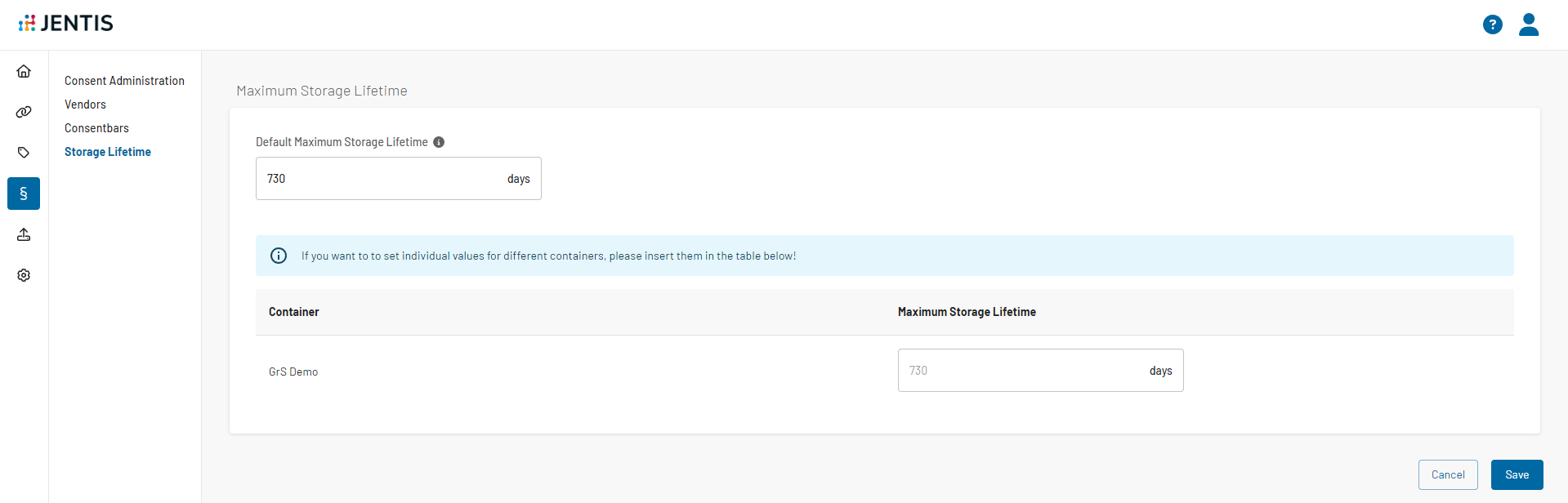
This feature allows users to configure the maximum lifetime for cookies and local storage entries set by JENTIS. Once a data entry's configured lifetime has expired, it will either be automatically removed by the browser (cookies) or removed by our script the next time a user accesses it (local storage).
**The Maximum lifetime can be configured on three levels:**
* Default set by JENTIS (730 days / 2 years)
* Global Default Customer setting, which is applicable for all containers of the JENTIS account
* Container level setting
We will always use the most specific setting when calculating the maximum lifetime. The lifetime limit is applied as soon as you publish your configuration.
{% hint style="info" %}
Important to note that this functionality only works with the JENTIS wrapper scripts that are provided with the JENTIS Web SDK.
{% endhint %}
{% code overflow="wrap" lineNumbers="true" %}
```javascript
window.jentis.helper.setCookie({
"name": "test-lifetime-cookie",
"value": "test-lifetime-cookie",
"exdays": 1000,
"sameSite": "Strict"
});
window.jentis.helper.setServerCookie({
"name": "test-lifetime-server-cookie",
"value": 'test-lifetime-server-cookie',
"exdays": 1000 * 24 * 60 * 60 * 1000,
});
window.jentis.helper.setLocalStorageItem("test-lifetime-localstorage", "test-lifetime-localstorage", 1000 * 24 * 60 * 60 * 1000);
const cookie = window.jentis.helper.readCookie('test-lifetime-cookie');
const serverCookie = window.jentis.helper.readCookie('test-lifetime-server-cookie');
const localStorage = window.jentis.helper.getLocalStorageItem("test-lifetime-localstorage");
```
{% endcode %}
If you have any questions or suggestions, contact us through our [Helpdesk](https://jentis.atlassian.net/servicedesk/customer/portal/1/group/-1).
---
# Agent Instructions
This documentation is published with GitBook. GitBook is the documentation platform designed so that both humans and AI agents can read, navigate, and reason over technical content effectively. Learn more at gitbook.com.
## Querying This Documentation
If you need additional information that is not directly available in this page, you can query the documentation by asking a question.
Perform an HTTP GET request on the following URL with the `ask` and `goal` query parameters:
```
GET https://docs.jentis.com/jentis-dcp-elements/account-settings/maximum-storage-lifetime.md?ask=&goal=
```
`ask` is the immediate question: it should be specific, self-contained, and written in natural language.
`goal` is what the user is ultimately trying to achieve, the reason they need the answer. Sharing it helps GitBook give you a better, more relevant answer. A goal is most helpful when it describes the outcome the user wants rather than restating the question. For example, with `ask=how do I create an API token`, a goal like `automate deployments from our CI pipeline` lets GitBook tailor the answer to that use case.
The response will contain a direct answer to the question and relevant excerpts and sources from the documentation.
Use this mechanism when the answer is not explicitly present in the current page, you need clarification or additional context, or you want to retrieve related documentation sections.